Is Canva free? The short answer is yes — a completely free plan for Canva is available and it is probably the most fully featured free design app you will ever come across. But there is another and arguably better way to use Canva for free that most people never find out about, and this guide is going to walk you through both options so you can get the most out of Canva without spending a single penny.
What You Actually Get on the Canva Free Plan (Is Canva Free?)
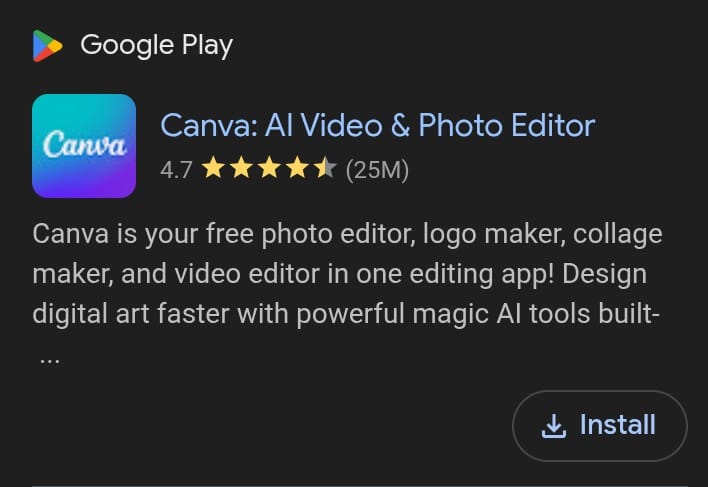
The Canva free plan is not a watered down taster version. It is a genuinely capable design tool that lets you create an enormous range of content from the moment you sign up.
On the free plan you have access to every design type Canva offers. Social media posts and videos across every platform, spreadsheets for content calendars and trackers, documents for internal use or lead magnets you can sell, presentations, whiteboards, print materials, video formats, wedding invitations, comic strips, photo collages, album covers, name tags, conference posters and significantly more. Every single one of these is available on a free account.
You also get thousands of free templates, graphics and photos alongside 5GB of cloud storage. The elements library contains millions of free assets including photos, graphics, animated stickers, videos, audio, charts, frames, grids, and mockups. The library is vast enough that you can create beautiful professional looking designs without paying anything — you just need to spend a little time at the start saving your favourite free elements and building a personal library you can reuse.
One thing that surprises many new users is that automatic captions are available completely free on Canva. You can record video clips, bring them into Canva, trim and edit for free, add captions with karaoke style animations for free, and export the finished reel without paying for anything. There is also a mini recording studio hidden inside the uploads section that lets you record course lessons, presentations, and voiceovers for your social videos entirely for free.
You can present live with speaker notes that your audience cannot see, collaborate with other users on designs, access over 600 apps in the apps marketplace many of which are completely free, and use design styles and colour tools — all on the free plan.
If you want to understand everything Canva can do beyond its free features read our full guide on What is Canva and What Does It Do
Can You Sell Things You Make on the Canva Free Plan?
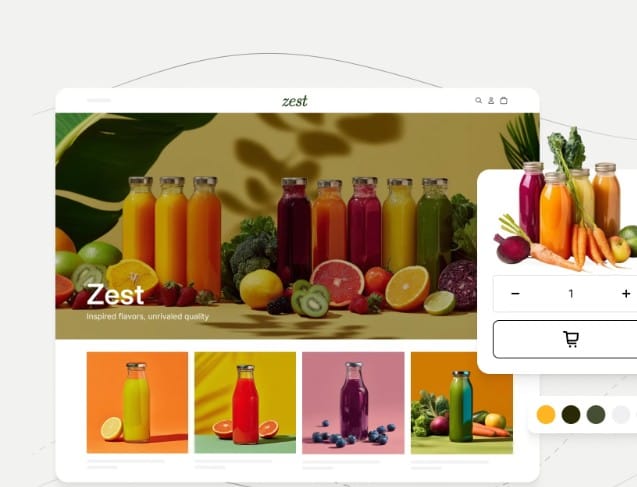
Yes you can. This is one of the most misunderstood things about Canva and the answer is clearly yes.
You can sell things you create with a free Canva account. People have been selling designs created on Canva since the platform launched without ever using a Pro account. The most important thing to understand is that you need to create unique designs by combining elements — you cannot simply resell existing templates or standalone elements as they are. But if you are selling an ebook, designing graphics for merchandise, or creating any unique product using elements from the library, you are absolutely allowed to sell it.
This means a free Canva account combined with a payment method is a complete business setup for digital product creators. The account costs nothing and the selling is permitted from day one.
What the Canva Free Plan Does Not Include
To be completely honest there are meaningful limitations on the free plan that are worth knowing about before you start.
You will not get full access to Canva’s complete range of stock imagery, videos and audio. The paid content is mixed in with the free content throughout the library with no filtering option for free users — meaning you will encounter Pro elements while browsing that you cannot use without upgrading. This requires more scrolling to find free assets though they are there in large numbers once you know where to look.
You will not have access to the Magic Grab feature for pulling subjects from images and automatically filling backgrounds, the background remover tool, Magic Expand for extending backgrounds, or the full suite of AI powered design features. These are genuinely useful time saving tools that make Pro a worthwhile subscription — but their absence does not prevent you from creating high quality designs on the free plan.
You also miss out on customisable brand templates, the ability to manage multiple brand kits, and some export format options that professional designers regularly need.
The Better Way to Use Canva for Free — The Canva Pro Trial
Here is the part most people miss. Beyond the permanently free plan there is a second way to use Canva for free that gives you access to every single premium feature for 30 days at no cost.
Canva Pro is the premium version of the platform and it unlocks virtually everything — over 100 million photos, videos and graphics, sophisticated AI features for content creation, magic resize and background removal, and the ability to export work into professional formats. Getting access to all of this for free is entirely possible through the Canva Pro 30 day trial.
How to access the Canva Pro free trial:
The first step is finding the right sign up page. Canva periodically offers extended trial links through affiliate partners and content creators — these give you direct and immediate access to the 30 day trial. When you arrive on the trial sign up page click the start your free Pro trial button. You will be prompted to sign up using your Google, Facebook or email account.
You will then be asked to choose between a monthly or yearly plan. This is not a commitment you cannot escape — you can cancel your Canva trial at any point before the 30 days end and no payment will be taken. Canva will also notify you when your trial is approaching its end date so you are not caught off guard.
After choosing your plan you enter your credit card or PayPal details. Payment is only taken if you do not cancel before the trial period ends. Once your details are entered you have complete access to every Canva Pro feature for the full 30 days.
Thirty days is more than enough time to get a genuine sense of whether Canva Pro is right for your needs and to complete a significant amount of design work entirely for free.
Canva Free vs Canva Pro — Which Should You Choose?
The answer depends entirely on what you need Canva for.
If you are just starting out, experimenting with design, creating content for social media, writing ebooks, building presentations, or selling digital products — the free plan gives you everything you need to get started and grow. Millions of creators run successful businesses entirely on the free plan.
If you work with design daily, need the background remover and Magic Expand tools regularly, manage multiple brand identities, or need to export work in professional formats for clients — Canva Pro is worth every penny of the subscription cost. The 30 day free trial lets you experience this before committing.
The smartest approach for anyone new to Canva is to start with the free plan, get comfortable with the platform, and then use the Pro trial to test the premium features before deciding whether the upgrade makes sense for your specific workflow.
Getting the Most Out of the Canva Free Plan
If you decide to stay on the free plan permanently there are a few habits that make the experience significantly better.
Star your favourite free templates and elements as you find them. This builds a personal library of assets that match your brand style and saves you from hunting through mixed free and Pro content every time you start a new design. Once you find a free image or graphic you love check the collection it belongs to — collections tend to be either all free or all Pro, so finding one good free asset from a collection often unlocks many more.
Use keyboard shortcuts consistently. Ctrl and C for copy, Ctrl and V for paste, Alt and drag to duplicate elements — these small habits dramatically speed up your designing once they become automatic.
Explore the apps marketplace. Over 600 apps are integrated into Canva and many of the most useful ones are completely free. These apps extend what the free plan can do well beyond what most users realise is available.
The Bottom Line
Is Canva free? Yes — genuinely and substantially free in a way that few design platforms match. The free plan is not a limitation designed to frustrate you into paying. It is a complete design environment that supports everything from social media content creation to digital product businesses.
The 30 day Pro trial adds a second layer of free access that gives you the full premium experience before you decide whether the paid subscription fits your needs.
Whether you choose the free plan permanently or upgrade after your trial, Canva gives you more design capability per pound of investment than almost any other creative tool available in 2026.
Are you a writer or creator building your platform? Publish your stories, articles and ideas completely free at inkwrit.com — a platform built for creators just like you.

Author: Bridget Austin
Ifeoma, who writes under the pen name Bridget Austin, is the founder of Inkwrit — a freelance writing platform built for African writers and storytellers. With a background in copywriting and content strategy, she created Inkwrit to give African voices a professional home to publish, build portfolios, and grow their writing careers. When she's not building the Inkwrit community, she writes about freelance writing, African literature, and the business of creative work.