I Tested the Top grammar checkers So You Don’t Have To
When I set out to find the best grammar checker tools in 2026, I knew I couldn’t just rely on marketing claims or feature lists. I needed real results. So I did something different—I took a sample document and ran it through multiple grammar checkers to see which ones actually delivered. The document started with a baseline Grammarly score of just 49%, with 71 review suggestions flagged. My mission was simple: test each free grammar checker, then upload the corrected versions back into Grammarly to see which tool got the highest score. The results surprised me, and some tools I expected to dominate didn’t perform as well as I thought they would.
Check out this post: Best Free Writing Software: Your Ultimate Guide to Choosing Right
Key Takeaways
Before we dive into the details, here’s what you need to know:
- PaperPal achieved the highest post-correction score at 86%, outperforming all other free tools I tested
- Scribens and QuillBot both reached 85% and fixed most grammar issues with a single click
- Grammarly remains the gold standard, but several free alternatives come remarkably close
- ProWritingAid offers the best value for authors with its lifetime license option
- Price shouldn’t be your only consideration—test each tool before committing to a subscription
- Most modern grammar checkers now integrate AI, so you’re getting more than just basic spell-checking
My Testing Methodology
I wanted this comparison to be practical, not theoretical. Here’s exactly how I conducted my tests:
First, I uploaded my sample document to Grammarly to establish a baseline. The overall grammar score was extremely low—49%—with 71 total review suggestions, of which 25 required a premium account to fix.
Then I ran the same unedited document through each free grammar checker app. After making corrections in each tool, I took the corrected version and uploaded it back into Grammarly. The version that achieved the highest Grammarly score after correction would be crowned the best free grammar checker closest to Grammarly’s performance.
The Grammar Checkers I Tested
1. Scribens Grammar Checker
When I tested Scribens, I was immediately impressed by its user-friendly approach. This free AI grammar checker is highly accurate and easy to use, helping fix various writing errors including grammar, spelling, punctuation, and word choice across different English variants.
What I loved about Scribens:
- No sign-up required—I could start using it immediately
- No limits on text length
- Completely ad-free experience
- One-click fix for all grammar errors
After running my document through Scribens and uploading the corrected version back to Grammarly, the overall score jumped from 49% to 85%. The premium suggestions also dropped from 25 to just 14. This was impressive performance, though I felt it could have been even better with a few more refinements.
2. Trinka AI
Trinka AI positions itself as more than just a grammar checker—it’s a language enhancement tool particularly useful for academic and technical writing. The platform helps make text formal, concise, and engaging by correcting grammar, punctuation, and style.
How to use Trinka:
- Paste your text or upload a document to the online editor
- Use the Microsoft Word add-in for desktop work
- Install browser extensions for real-time suggestions
- Free plan available to start
Unlike Scribens, I had to fix errors on Trinka one after the other, similar to how Grammarly works. This took considerably more time. When I uploaded the final copy to Grammarly, the grammar score improved from 49% to 73%—decent, but not as strong as I’d hoped.
I noticed that Trinka didn’t significantly address the premium suggestions flagged by Grammarly. The count only reduced from 25 to 20 suggestions, which was disappointing compared to other tools I tested.
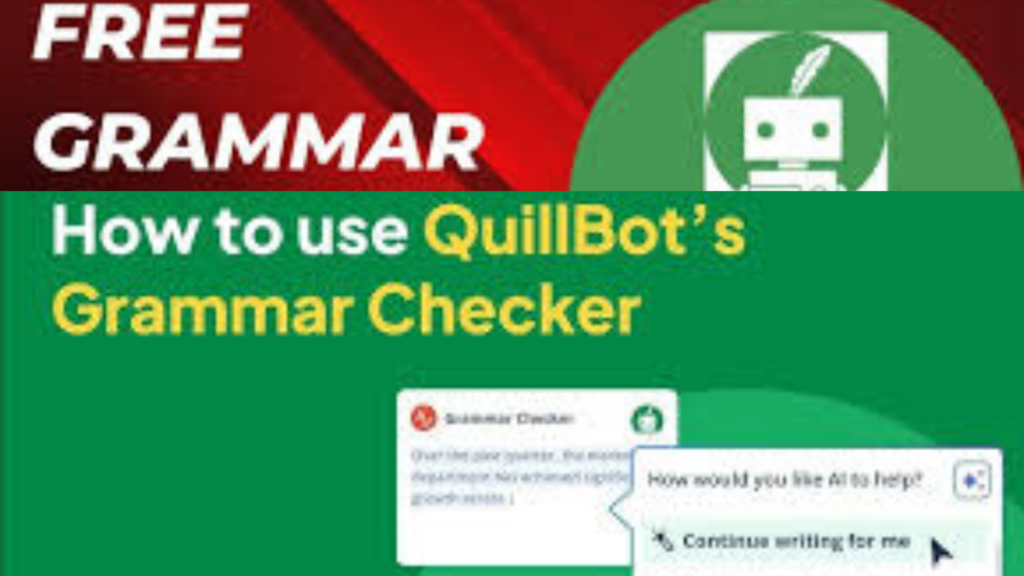
3. QuillBot Grammar Checker
Most people know QuillBot as a paraphrasing tool, but I discovered it has many other features worth exploring, including an excellent grammar checker. I had to use a free account to test this, confirming that QuillBot’s grammar checker is genuinely free.
My experience with QuillBot:
- Initial score before corrections: 62%
- Accept all option available—no need to fix errors one by one
- Works with both pasted text and uploaded documents
I appreciated the “accept all” feature, though I’ll admit that if I were writing a research paper, I’d prefer fixing errors individually. Sometimes grammar checkers—especially Grammarly—have an annoying way of fixing errors that change the intended idea and make it meaningless.
When I uploaded the QuillBot-corrected version to Grammarly, it achieved a score of 85%, matching Scribens’ performance. Interestingly, QuillBot fixed most of Grammarly’s premium suggestions, particularly around fluency, vocabulary, and text consistency.
4. Ginger Grammar Checker
Ginger is an AI-powered writing assistant that offers more than basic spelling and grammar corrections. It analyzes full sentences to provide context-based suggestions, helping improve clarity, style, and even rephrasing sentences for better impact.
How to access Ginger:
- Paste text into the online editor
- Download the desktop application
- Use browser extensions for Chrome and Safari
- Install mobile apps for iOS and Android
- Get real-time suggestions across platforms like Microsoft Office, Gmail, and social media
I had to edit my sample document in parts because the free version only allows 900 characters at once, which was inconvenient. The final draft from Ginger scored 80% when I uploaded it back to Grammarly—lower than both QuillBot and Scribens.
I wasn’t particularly impressed that Ginger didn’t significantly address the premium suggestions on Grammarly. However, I did notice that Ginger’s premium plan is more affordable than Grammarly’s, which could make it an attractive option for budget-conscious writers.
5. PaperPal Grammar Checker
Final Grammarly Score After Correction: 86% (WINNER)
Before concluding my tests, I wanted to try one more excellent free grammar checker, and PaperPal turned out to be the surprise winner. PaperPal is an awesome writing assistance tool with lots of features, and its grammar checker is relatively free in that it helps fix language errors specifically.
My experience with PaperPal:
- Works similar to Grammarly—accept or reject suggestions individually
- Could not fix consistency errors on the free plan
- Achieved the highest post-correction score at 86%
When I moved the PaperPal-corrected document to Grammarly, I was genuinely impressed. It scored 86%—the highest of all tools I tested. PaperPal also reduced the 25 premium suggestions down to just 17.
If I had paid for the tool and fixed the consistency problems it flagged, I believe PaperPal could have performed as well as Grammarly or even better. The premium version costs about $6 to start, which isn’t bad considering the performance.
Want to share your software review?
Join inkwrit
Additional Grammar Checkers Worth Knowing
Beyond my head-to-head testing, I researched several other grammar checkers that deserve mention based on their unique features and value propositions.
Hemingway Editor
I first learned about Hemingway Editor back in 2015 when I started self-publishing, and it was most attractive because it was completely free with no catch. If you want to work offline, you can purchase a lifetime license of the desktop app for just $19.99—a small price considering how well it handles editing.
What Hemingway does:
- Highlights complex sentences
- Identifies passive voice usage
- Flags adverbs
- Points out hard-to-read phrases
- Improves clarity and simplicity
You can format your manuscript within Hemingway in text, PDF, or Word formats. The free browser-based option doesn’t have an export feature, so you’re left copying and pasting content.
Hemingway Editor Plus (new tier I discovered):
- $10-$15 per month on annual plan
- 5,000-10,000 AI sentences per month depending on plan
- Instant suggestions to rewrite wordy sentences and passive voice
- Unlimited advanced grammar fixes
- Import and export files
- Adjust tone, length, and style
- Change target reading level
- Dark mode control
If you’re reluctant to use AI in your writing, consider sticking with the free browser-based option or the premium desktop app without the Plus features.
LanguageTool (formerly Textly)
LanguageTool has a host of features perfect for most writers. If you’ve ever used Grammarly before, you’ll find LanguageTool right up your alley. The user interface is intuitive and robust.
Personal Pro Plan includes:
- One user seat (license limited to you only)
- Multilingual grammar check and paraphrasing
- GPT-4 AI copilot and text generator
- Shortcuts for typing automation
- Use AI everywhere with browser extension
- Style guide for consistent writing across every book
- Content score analyzing sentence length, vocabulary complexity, and passive voice usage
Platform compatibility:
- Major browsers: Chrome, Firefox, Edge, Safari, Opera, Brave
- Add-ins for Google Workspace, Microsoft Word, and Microsoft Outlook
- Mobile apps for Android and Apple
- API integration options
LanguageTool offers a 7-day free trial with their annual plan. I haven’t used it in a long time, but they’ve made massive improvements, particularly with artificial intelligence integration.
ProWritingAid
If I ranked my list according to personal favorites, ProWritingAid would take the top spot. I truly love this spelling and grammar check service for many reasons. I use ProWritingAid in Microsoft Word and occasionally in my web browser.
What makes ProWritingAid special:
- Grammar and style suggestions
- Identifies grammar errors, style inconsistency, overused words, and more
- Real-time report analyzing entire document
- Recommendations on better word choice and clearer sentence structure
Available reports:
- Core Reports: Summary, Critique, Style, Grammar, Rephrase, Thesaurus, Overused, Combo
- Structure: Structure, Sentence Length, Transition
- Readability: Readability, Sticky Sentences, Clichés, Diction, Pronoun, Alliteration, Homonym
- Additional: Consistency, Fiction, House Style Guide, Plagiarism Checking
Platform compatibility:
- Desktop app for Windows and Mac
- Browser extensions: Chrome, Firefox, Safari, Edge
- Integrations: Microsoft Office, Google Docs, Scrivener
The free plan limits you to 500 words, 10 rephrases per day, basic grammar checking, word explorer, thesaurus, and document type setting. For unlimited access and additional AI support, you’ll pay $10-$12 more per month.
Grammarly
If you’ve been around the internet over the past few years, you’ve noticed ads for Grammarly—the most popular option for grammar checking. This software was my first foray into grammar checking, and even though Grammarly dumps tons of money into promoting their services, they haven’t slacked on improving what they offer.
Platform reach:
- Supports over 500,000 mobile, web, and desktop apps
- If you can think of it, Grammarly probably covers it
Unique features:
- Normal corrections
- Tone suggestions
- Full sentence rewrites
- Custom style guides (game-changer for authors writing a lot)
Free Plan includes:
- 100 AI prompts to generate rewrites
- Ability to see your writing tone
- Basic grammar checks
Premium Plan includes:
- Everything in free plan
- 1,000 AI prompts to generate rewrites
- Ability to adjust your tone
- Rewrite full sentences
- Catch plagiarism
The only reason I ever ventured away from Grammarly was because I got a lifetime deal with ProWritingAid. If Grammarly offered lifetime access, I’d buy it. For now, it’s a hard pass since ProWritingAid is more tailored for authors rather than general use.
Microsoft Word Editor
One of my go-to resources for grammar checking before using ProWritingAid was Microsoft Word’s Editor. Back in the day, it was little more than a spell checker with mild editing capabilities. Now Editor is better than ever, detecting spelling and grammar mistakes and offering refinements for clarity, conciseness, formality, vocabulary, and more.
Features:
- Editor score percentage showing how well you’re doing
- Spelling and grammar detection
- Clarity and conciseness suggestions
- Formality and vocabulary improvements
Is it perfect? No, but that goes for all grammar checkers. If you already have Microsoft Word and don’t have funds for a premium option, Editor is more than sufficient.
WhiteSmoke
Quite a few years ago, I bought a three-year license for WhiteSmoke. It had an almost similar style, feel, and features to Hemingway Editor. I searched high and low for online activity about WhiteSmoke, but they’ve been pretty quiet for years.
Unfortunately, they don’t appear to have a free option or trial, so you’ll have to take a gamble if you want to go with them. I can’t strongly recommend this without more current information about their service quality.
ChatGPT for Grammar Checking
I can’t ignore the massive elephant in the room—artificial intelligence. While all the grammar check apps I mentioned have AI integration, some would rightfully ask: what about going right to the source with ChatGPT?
My buddy and USA Today bestselling author Nick Thacker recommends using ChatGPT for cleaning up manuscripts in his course about voice dictation. You don’t need the upgraded ChatGPT-4 version—the free version is sufficient.
Using ChatGPT for editing:
- Can’t copy and paste an entire manuscript
- Works with small blocks of about 1,000-2,000 words at a time
- Feed GPT with the right prompts for a well-edited manuscript
- Always double-check because AI sometimes uses flowery words or awkward sentences
If you feed ChatGPT with the right prompts, you’ll possibly get a well-edited manuscript back. Just be vigilant about reviewing the output.
My Final Recommendations
After all this testing and research throughout 2026, here’s what I recommend based on different needs and budgets:
If you want the best free option: Go with PaperPal. It achieved the highest score in my testing at 86% and only costs about $6/month if you decide to upgrade for consistency features.
If you want one-click simplicity: Choose Scribens or QuillBot. Both scored 85% and let you accept all corrections with a single click. No sign-up required for Scribens, which is a huge plus.
If you’re an author who writes frequently: Invest in ProWritingAid’s lifetime license. The $399 one-time payment has more than paid for itself.
If you want the most popular option: Grammarly is still the gold standard, with support for over 500,000 apps and platforms. The custom style guides alone make it valuable for serious writers, even if the monthly cost adds up over time.
If you’re on a tight budget: Use Microsoft Word Editor if you already have Word, or try Hemingway Editor’s free browser version. Both are surprisingly capable for basic grammar checking.
If you write academic or technical content: Consider Trinka AI or LanguageTool, both of which specialize in formal, academic writing styles.
My Takeaway
What’s my average Grammarly score when I upload files for corrections? I’d love to know yours too. After conducting these tests, I realized that while Grammarly sets the standard, you don’t necessarily need to pay premium prices to get professional-level grammar checking.
The key is understanding what you need. If you’re writing occasionally and don’t want recurring costs, free tools like Scribens or PaperPal will serve you well. If you’re a professional writer or author producing content regularly, investing in a lifetime license for ProWritingAid or committing to a Grammarly subscription makes financial sense.
One thing I noticed across all these tools: they sometimes have an annoying way of fixing errors that change your intended meaning. That’s why I recommend reviewing suggestions individually for important work rather than blindly accepting all corrections.
Imagine having multiple grammar checkers running in Microsoft Word simultaneously—Editor, ProWritingAid, Grammarly, and Ginger. That manuscript should be spotless by the time you send it to your human editor.
The grammar checker landscape in 2026 is more competitive and capable than ever. Test the tools that interest you, take advantage of free trials, and find what fits your writing workflow. Your perfect grammar checker is out there—you just need to find it.
What’s your preferred grammar check app, or do you self-edit and hope for the best? Whatever your approach, the tools available today make it easier than ever to produce polished, professional writing.

Author: Bridget Austin
Ifeoma, who writes under the pen name Bridget Austin, is the founder of Inkwrit — a freelance writing platform built for African writers and storytellers. With a background in copywriting and content strategy, she created Inkwrit to give African voices a professional home to publish, build portfolios, and grow their writing careers. When she's not building the Inkwrit community, she writes about freelance writing, African literature, and the business of creative work.