
Open your camera roll and the year may look surprisingly uncinematic: something on a windowsill, a book you kept carrying around, a thing you finally repaired. Those pictures can still become a small year-recap film. Start with five moments you care about, give each one a sentence, and let one picture carry a little optional movement.
You can begin collecting now. In November, call an early version “My year so far”; save the finished-year title for when that period has actually ended. There is no need to fill the remaining weeks with imagined milestones.
The illustrations here are original, fictional teaching scenes. They are not photographs from a real person’s year, and no finished video has been generated for this example.
Find five photos you would keep even without making a video
Make a small album and pick five pictures that answer, “Why do I want to remember this?” A useful mix might include something you cared for, something you learned, a familiar place, a shared meal and an ordinary habit. Use your own photographs, or images you have permission to include and share.
Do a quick second pass. Remove duplicates, pictures that need a long explanation and anything too private for your intended audience. Five is a manageable starting point, not a rule about what a year should contain. You can leave out an entire month without pretending nothing happened then.
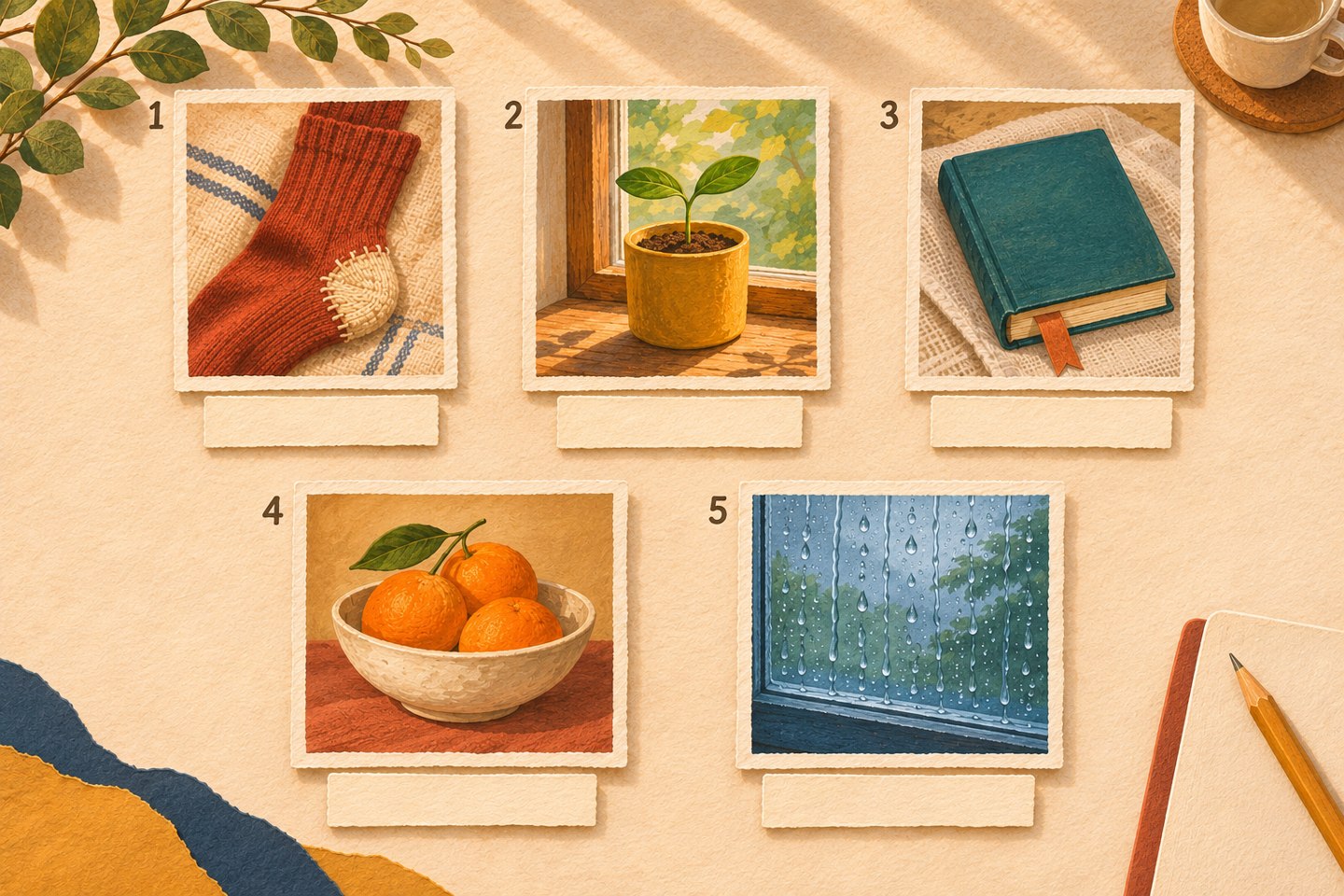
For the invented selection above, these are possible caption models:
- Repaired sock: “I learned to mend the heel instead of throwing these away.”
- Seedling: “This little pot became part of my morning routine.”
- Book: “I kept returning to this one, a few pages at a time.”
- Oranges: “A small bowl for an afternoon we spent together.”
- Rainy window: “Some days were simply days at home.”
Borrow the sentence shape, then replace its content with what actually happened. If you did not mend the sock yourself, say who did, or describe why you kept it. Use a month or exact date only when you know it. “One rainy afternoon” is enough when you do not.
Put the photos in time order if the dates are reliable. Otherwise, arrange them around a loose thread such as “things I kept coming back to,” without adding a misleading calendar. Write the opening title last; the five captions will tell you what the film is about.
Give just one photo a small creative movement
The stills can carry the whole recap. If you want a moving passage, choose a simple picture with a clear subject and room around it. Leave important faces, handwriting and irreplaceable details in the original stills, where you can preserve them directly.
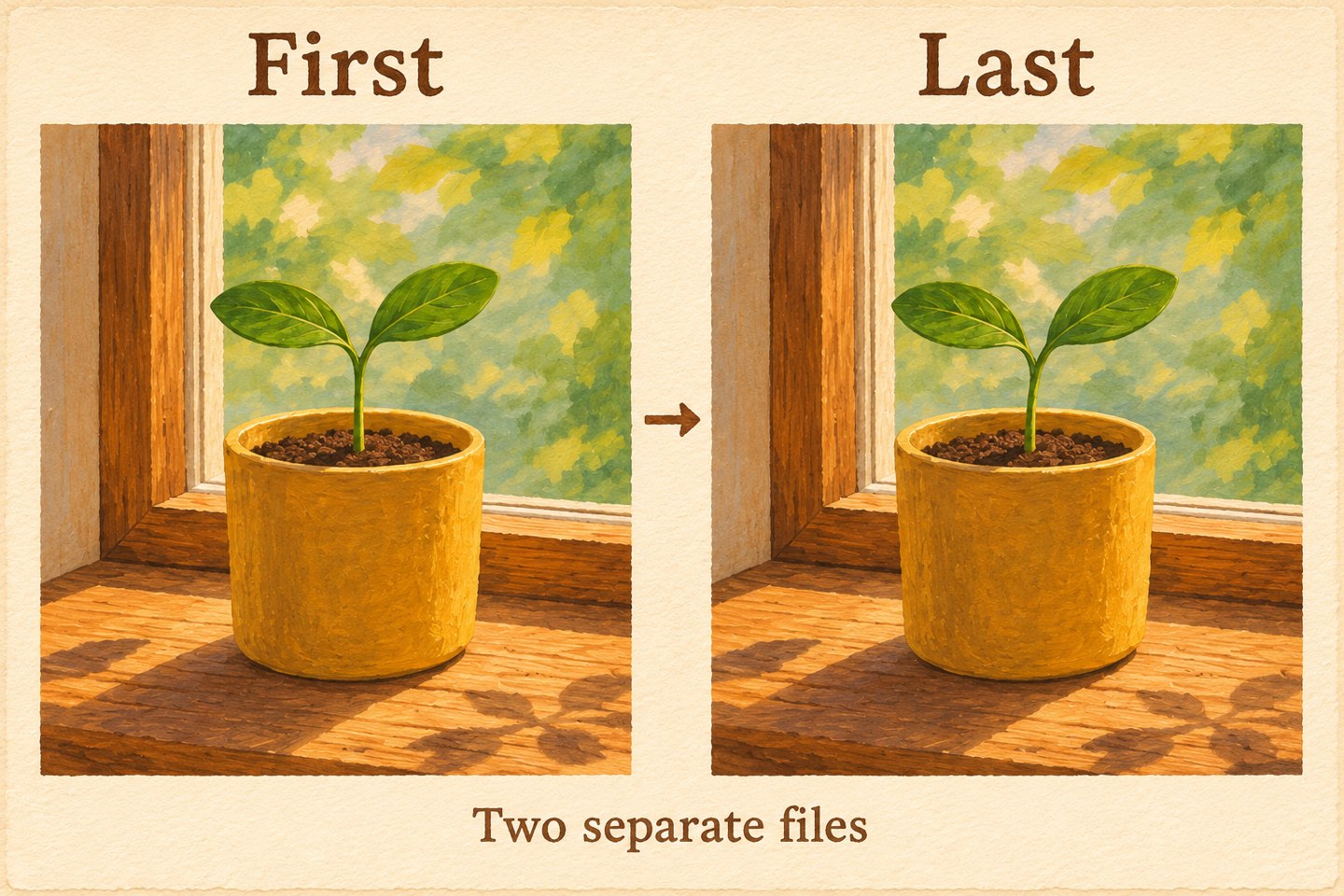
The teaching example uses the seedling. Its proposed movement is a slight change in leaf angle, not accelerated growth. Before uploading, prepare two separate endpoint images:
- First image: a working copy of the chosen photograph, cropped to your intended format.
- Last image: a permitted edited copy with only a small leaf-angle change. Keep the leaf count, stem base, pot, window frame, background and crop aligned.
Save both at the same dimensions and orientation. Keep the untouched original elsewhere. A second photograph can serve as the endpoint if its framing and contents genuinely match; a different plant or shifted camera makes a different request. If you cannot make a compatible pair, keep this moment as a still.
Tool suggestion: OpenMaker is one option for the optional animation in this example.
On OpenMaker, use the free image-to-video route. The website describes this workflow as free, with no signup required, zero credits and unlimited attempts, producing five seconds at 480p. Its named free workflow is presented as powered by MiniMax H3; that is OpenMaker’s attribution, not an independent backend test. These conditions apply to this generation step, not to a separate video editor.
Choose the ratio that fits your project—16:9, 9:16 or 1:1—and prepare both images for that ratio. Upload the first and last files in their respective positions. For the seedling example, a copyable motion prompt is:
Fixed camera. The two existing seedling leaves tilt very slightly, moving gently from the first image toward the last image. Keep the same two leaves, thin stem, yellow pot, soil, windowsill, window frame, background and lighting. No growth, new leaves, camera movement or text.
Adapt prompts to what is actually in your photograph. Generate, wait for the result, then preview before downloading. Check the whole five seconds: does a leaf split, the pot change shape, or the room slide? If so, simplify the endpoint change or use the original still. Exact preservation and movement are not guaranteed. Save an acceptable download as a creative interpretation, rather than labelling it recovered footage of that day.
Assemble a small film you can finish
In a separate video editor that accepts your photos and downloaded clip, start a project in the same ratio. Its access requirements and editing features are separate from OpenMaker’s; check them before committing to an edit.
Import the five original photographs and, if you kept it, the creative clip. Place the photos in your chosen order. Let each still stay long enough to read its sentence comfortably. At the selected moment, show the original photograph first, then the optional five-second interpretation. Add a small “Creative animation” label to that passage in the editor. You do not have to animate the other four.
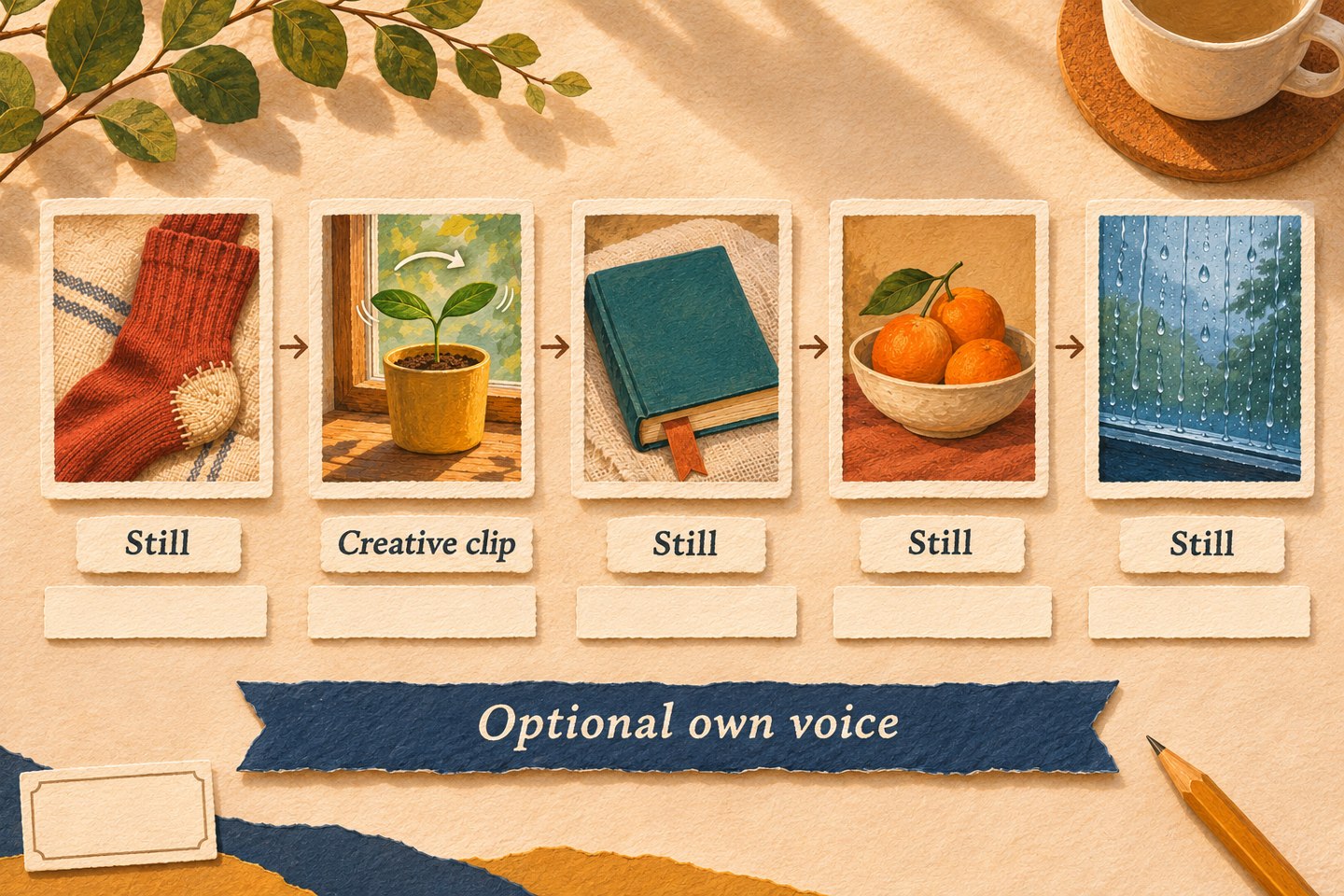
Add your five captions as editable text, rather than asking generation to draw them into the picture. Keep them away from important details and inside the frame. Give the opening a truthful title, such as “Five small things from my year so far,” and end with a line you mean. “I wanted to keep these” is plenty.
If you want narration, record your own five sentences and import that audio separately. Extend the stills to cover the words; use held photos wherever the five-second clip ends. Check or mute any unwanted clip audio. You can also leave the film silent and let the captions do the work. This longer assembly, recording and text editing happen outside OpenMaker.
Play the complete edit once without pausing. Check that every sentence is readable, the final word is audible if narrated, and there are no empty gaps or abrupt cutoffs. Compare the creative passage with its original. A larger export setting will not restore detail that was absent from a 480p source.
Export using an option available in your editor, then reopen the saved file and watch it through. Keep the project, original photos, captions and chosen download together so you can update the year-so-far version later. Before sharing, choose who should see it and check that anyone identifiable is comfortable being included.
The finished piece can be modest: five true moments, a few sentences, and enough time to notice them again.

Author: fluxpronet
I write about visual storytelling, creative prompts, and AI-assisted video, sharing practical exercises and imaginative scenes to help turn small ideas into clear, shareable stories.
Related posts:
 From “Make It Cinematic” to a Brief for a Free Image-to-Video Generator, No Signup Required
 Prepare a Writing Portfolio Sample with a Free AI Video Generator, No Signup Required
 One Sentence, One Visible Event: A Free AI Video Generator Exercise for Writers
 How to Use Qwen AI Image Generator for Free in 2026